 The Photographer's Wife Parenting, Disney, Travel, Reviews & Other Randomness
Don’t you just love when you find a product that you never really thought you needed, but once you start using it, you wonder where it has been all your life?! This may sound cheesy, but this is how I feel about the Logitech Harmony Smart Keyboard.
We received a Logitech Harmony Keyboard from Best Buy coincidentally right after we started using the ROKU. It has made using the ROKU so much easier and convenient, but even if you don’t have a ROKU, it also works well with any smart tv, Apple TV and living room PCs.
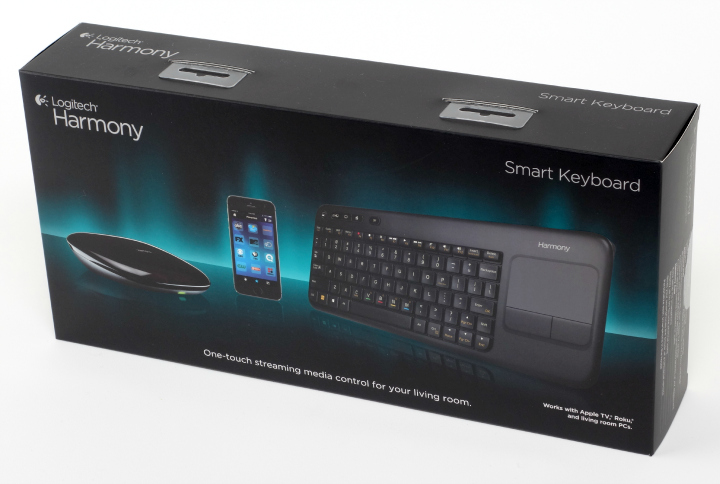
Here are some key features about the Logitech Harmony Keyboard:
Only @ Best Buy (valid 3/5-6/21/2014). Launching at Best Buy March 23rd.
The Harmony Smart Keyboard delivers the full Harmony control experience for TV-connected Internet and home entertainment devices.
Harmony Smart Keyboard makes enjoying digital media in your living room easier than ever. The specially designed keyboard simplifies text entry on internet-connected entertainment devices. Touch the “Movie†Activity button and the right devices switch to the right settings. Plus, it has integrated DVR and set-top box controls, playback and volume buttons, and a touchpad for cursor control on a PC or Mac.
3 one-touch activity button
PC, TV, Movies
Short and long presses provide 6 total activities
Integrate touchpad for cursor control on PC or Mac
Media/Cable/DVR playback controls
Harmony Hub controls devices behind cabinets or walls
IR, RF, USB, Bluetooth, Wi-Fi
Simple smartphone setup
Harmony App turns iOS & Android smartphones into personal universal remote
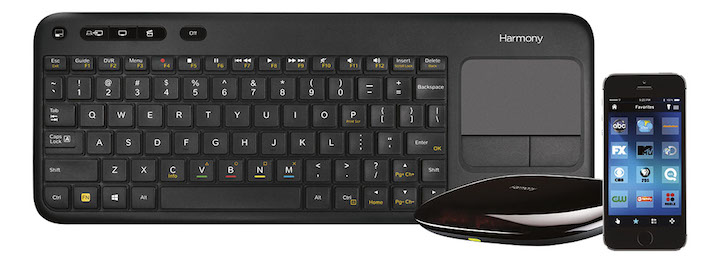
At first, I didn’t think I would like the idea of using a keyboard to control my tv…but then as I used it, it is so much better and I love it. We had 4 remotes before! FOUR! We had to keep 4 remotes from Trent and try not to lose them ourselves and be sure to get the one we needed when trying to do different things like watch regular tv, watch a Blu-Ray, watch the ROKU and so on. Now, the Logitech Keyboard is the only device we need to do all of that…isn’t that crazy? When we want to turn on the tv and cable box, we hit one button; when we want to watch a Bu-Ray, we hit one button….and, well you get the idea. No longer do we have to find one remote to hit a button, then another remote to hit another button. Even once the tv is on, we can stop, play fast-forward and pause any show, we can pull up our DVR and play a recording, we can use our guide to find something to watch and we can jump around channels easily. The buttons have clear labels on them so you know exactly what to hit to accomplish the task.
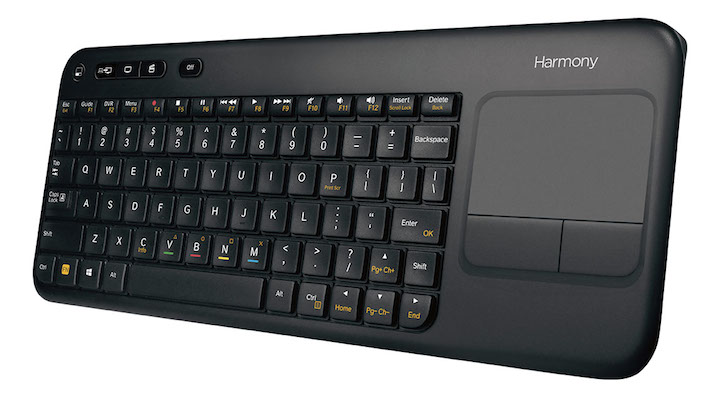
The keyboard is large enough so we won’t lose it like a remote, yet slim and compact enough to not be a burden or eyesore when it’s laying out. But even better is being able to use the Harmony app from our phones! We can do everything I just listed above from our phones too. So if we sit down and realize the keyboard is on the table across the room, we can still be lazy and do everything from our phone.
If you’re thinking that this may be too much technical hassle, Brett found it to be very easy to set up. It took some time only because we had a bunch of stuff to set up, but setting up each piece was easy. We even switched phones after setting the app up on our phones, and adding it to our new phones was as easy as hitting the install button…all of our settings were already there!
The Harmony Logitech Keyboard streamlines our tv viewing. Kids can even use it and it’s also easier to tell housesitters and guests how to use it!
For more info and to buy, visit this site: http://www.bestbuy.com/site/promo/logitech-smart-keyboard-harmony-remote-118697
The reviewer received the product/service for free in exchange for this review. Thanks for reading!