Photography & Technology

Logitech Harmony Smart Keyboard Available at Best Buy

Don’t you just love when you find a product that you never really thought you needed, but once you start using it, you wonder where it has been all your life?! This may sound cheesy, but this is how I feel about the Logitech Harmony Smart Keyboard.

We received a Logitech Harmony Keyboard from Best Buy coincidentally right after we started using the ROKU. It has made using the ROKU so much easier and convenient, but even if you don’t have a ROKU, it also works well with any smart tv, Apple TV and living room PCs.
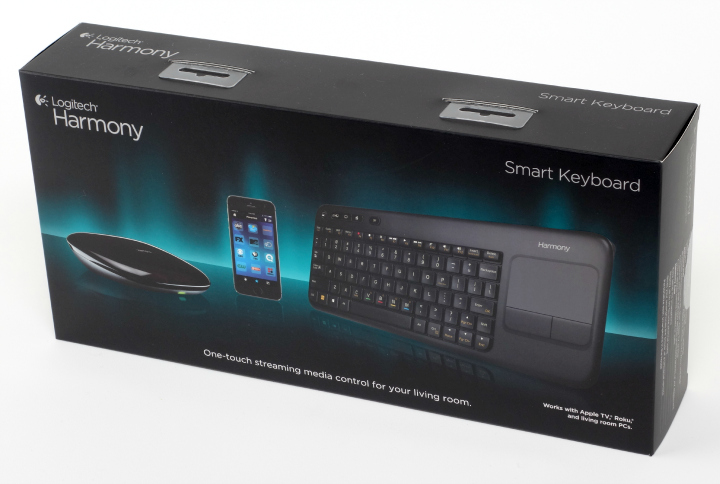
Logitech Harmony Keyboard

Here are some key features about the Logitech Harmony Keyboard:

Only @ Best Buy (valid 3/5-6/21/2014). Launching at Best Buy March 23rd.

The Harmony Smart Keyboard delivers the full Harmony control experience for TV-connected Internet and home entertainment devices.

Harmony Smart Keyboard makes enjoying digital media in your living room easier than ever. The specially designed keyboard simplifies text entry on internet-connected entertainment devices. Touch the “Movie” Activity button and the right devices switch to the right settings. Plus, it has integrated DVR and set-top box controls, playback and volume buttons, and a touchpad for cursor control on a PC or Mac.

3 one-touch activity button

PC, TV, Movies

Short and long presses provide 6 total activities

Integrate touchpad for cursor control on PC or Mac

Media/Cable/DVR playback controls

Harmony Hub controls devices behind cabinets or walls

IR, RF, USB, Bluetooth, Wi-Fi

Simple smartphone setup

Harmony App turns iOS & Android smartphones into personal universal remote
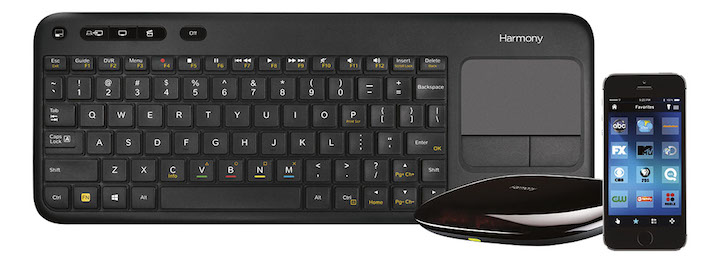
Logitech Keyboard and app image

At first, I didn’t think I would like the idea of using a keyboard to control my tv…but then as I used it, it is so much better and I love it. We had 4 remotes before! FOUR! We had to keep 4 remotes from Trent and try not to lose them ourselves and be sure to get the one we needed when trying to do different things like watch regular tv, watch a Blu-Ray, watch the ROKU and so on. Now, the Logitech Keyboard is the only device we need to do all of that…isn’t that crazy? When we want to turn on the tv and cable box, we hit one button; when we want to watch a Bu-Ray, we hit one button….and, well you get the idea. No longer do we have to find one remote to hit a button, then another remote to hit another button. Even once the tv is on, we can stop, play fast-forward and pause any show, we can pull up our DVR and play a recording, we can use our guide to find something to watch and we can jump around channels easily. The buttons have clear labels on them so you know exactly what to hit to accomplish the task.
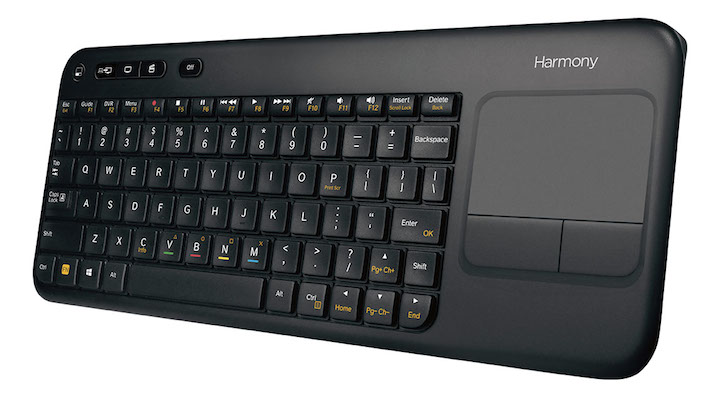
Logitech Keyboard front angle

The keyboard is large enough so we won’t lose it like a remote, yet slim and compact enough to not be a burden or eyesore when it’s laying out. But even better is being able to use the Harmony app from our phones! We can do everything I just listed above from our phones too. So if we sit down and realize the keyboard is on the table across the room, we can still be lazy and do everything from our phone.

If you’re thinking that this may be too much technical hassle, Brett found it to be very easy to set up. It took some time only because we had a bunch of stuff to set up, but setting up each piece was easy. We even switched phones after setting the app up on our phones, and adding it to our new phones was as easy as hitting the install button…all of our settings were already there!

The Harmony Logitech Keyboard streamlines our tv viewing. Kids can even use it and it’s also easier to tell housesitters and guests how to use it!

For more info and to buy, visit this site: http://www.bestbuy.com/site/promo/logitech-smart-keyboard-harmony-remote-118697


The reviewer received the product/service for free in exchange for this review. Thanks for reading!

 

HUE Plus External Battery {Review & Giveaway}

With blogs to update, social media to check and photos to take, it’s no wonder our batteries in our mobile devices reach zero before the day is over. This has happened to us plenty of times, especially me…Mrs. Always-Forgets-to-Charge-her-Phone. I pretty much have to keep my phone plugged into my computer all day at work to prevent the battery from draining by 5pm.

But where this really becomes a hassle is when we’re traveling. When we’re at Walt Disney World, we often find ourselves with zero battery by mid-afternoon. Then we’re stuck not being able to share anything the rest of the day, check the time (who owns watches any more?), distract Trent with games or videos during meals or line-waiting, or use their app to check wait times and update any reservations. Sure, WDW added some plugs and USB charging stations at the parks, but I don’t want to be tied down to one spot while my phone charges for an hour.

The solution? An External Battery!

HUE Plus 2

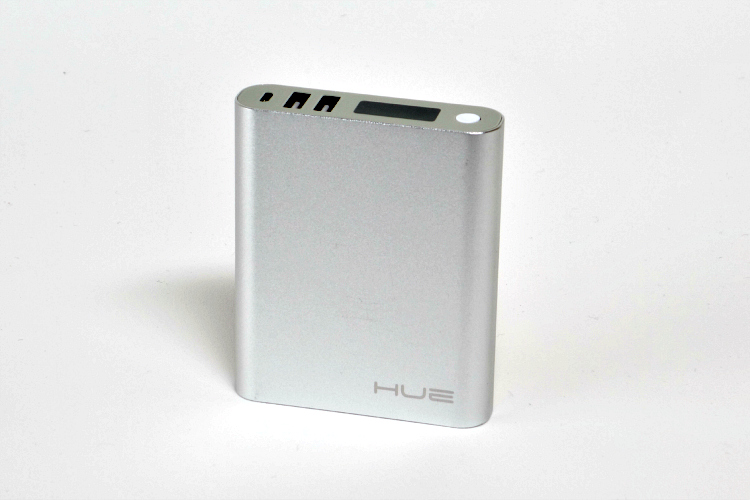
We’ve been using the HUE Plus from Juno Power.

Juno_Power___External_iPhone_Batteries_External_portable_Android_batteries

Juno Power is the battery division of Juno Labs, a US based design firm, we design, develop, manufacture and market portable mobile devices and accessories for both Apple and Android devices alike. Our goal is to create the best possible products in both quality and design. With Headquarters in Burlingame, CA, we create innovative designs with competitive pricing. In doing what we have been doing best for over a decade, we strive to create the most user friendly, reliable solutions for everyday power problems.

HUE Plus

They currently offer two version of external batteries:

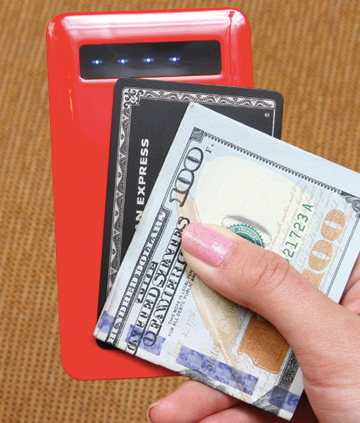
**The HUE Kard is a 4,000mAh battery. It is 7.5mm thick and about the size of an iPhone 5, so it’s very easy to carry around on a daily basis. It comes in red, black and white.

Juno_Power___External_iPhone_Batteries_External_portable_Android_batteries 3

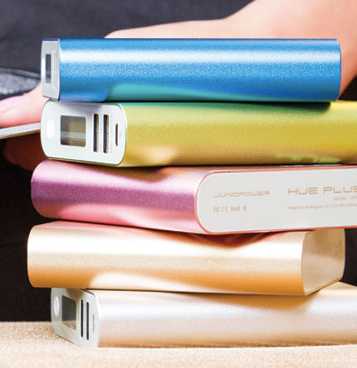
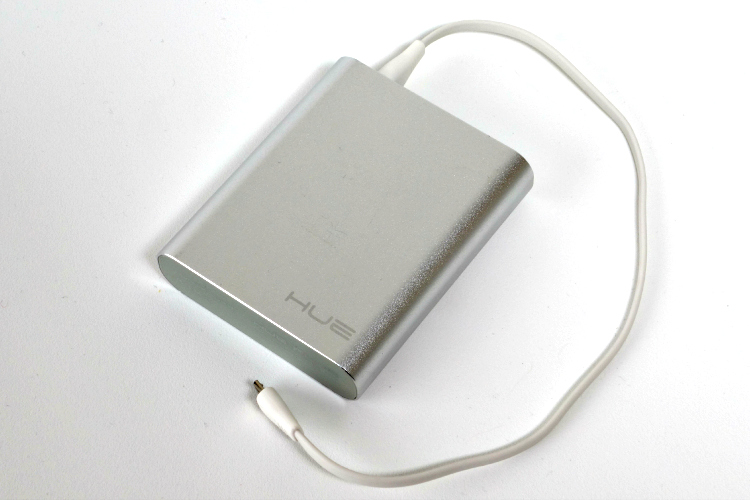
**The HUE Plus is our 9,900 mAh battery. This one packs a lot more power! It is a little thicker, but is still pretty compact. This one comes is 5 colors – lime green, blue, pink, silver and gold.

Juno_Power___External_iPhone_Batteries_External_portable_Android_batteries 2

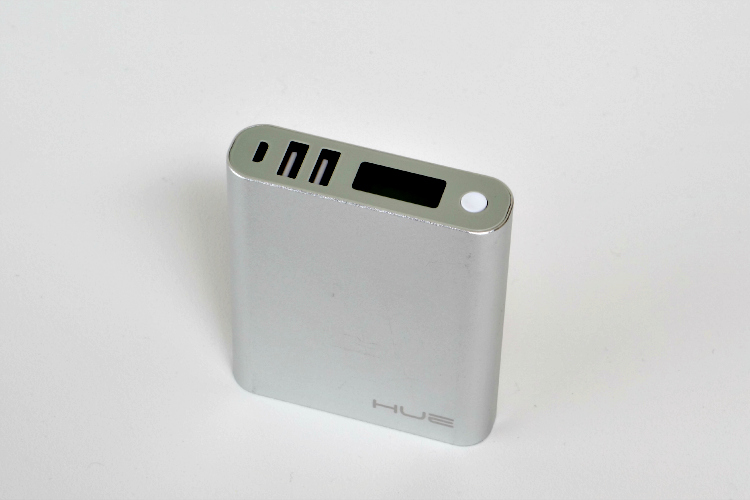
The HUE Plus is a bit larger than the Kard, but still conveniently fits in purses, diaper bags, pockets, stroller pouches, etc.

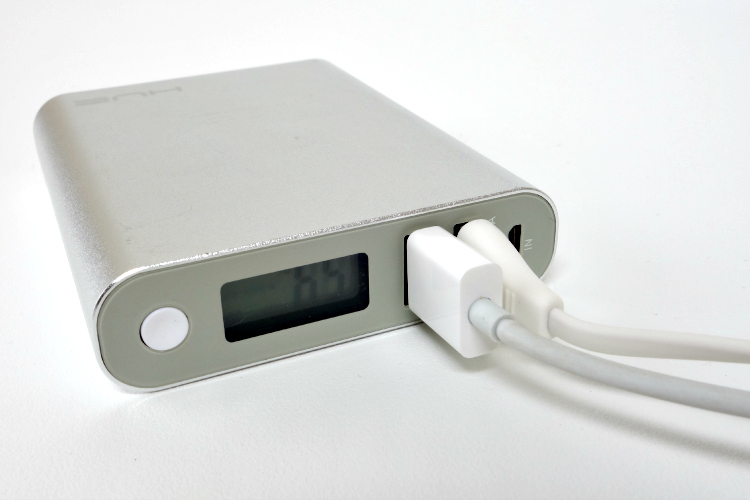
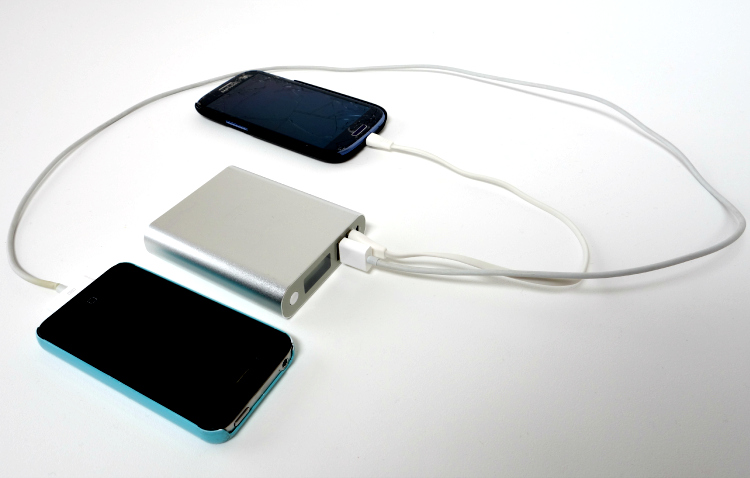
What we like best about the HUE Plus is how we can charge TWO devices at the same time. No more fighting over who gets to charge their battery first. ;)

HUE Plus 4 HUE Plus 3

Both HUE options can charge both Apple and Android Devices, including phones and tablets. I’ve mentioned plenty of times here before that Trent is an iPad expert, and we often use it to entertain him during meals at restaurants or while taking trips in the car. With the HUE, we never have to worry about the iPad running out of power. Below is a chart showing the approximate # of hours of charge each device can get from a fully-charged HUE Plus.

Blue_HUE_Plus_-_External_Battery_for_iPhone_Android_External_Battery___Juno_Power

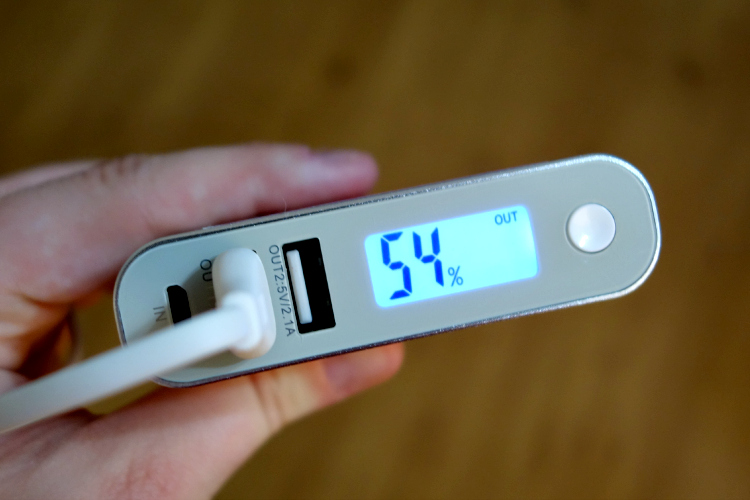
The HUE Plus has a LCD screen that shows you the % of charge remaining, so you know when to charge it.

HUE Plus 5

Even just this past weekend we were out to lunch with family, and while Trent was watching a movie on the iPad, our niece went to use her phone because she was bored while waiting for our meal to arrive. She pulled out her phone and the battery was dead. That wouldn’t have been a problem with the HUE around!

(on a side note, I’m not advocating the excessive use of technology at meals or all times of the day, but if you haven’t tried to get a toddler to sit through a meal at a restaurant without much to do, then you have no idea what a lifesaver technology can be!)

The HUE is absolutely perfect for anyone that travels a lot, uses their phones or tablets extensively, or has kids that likes to use their phones or tablets for entertainment. I can think of so many places and scenarios the HUE would be handy. It took about an hour to charge Brett’s Samsung phone from being completely dead, which means it’s fast and you can keep going without missing a beat!

HUE Plus 1

Want one for yourself? You can find them at JunoPower.com and Amazon! You can also enter to win one below!

HUE Giveaway

**Giveaway**

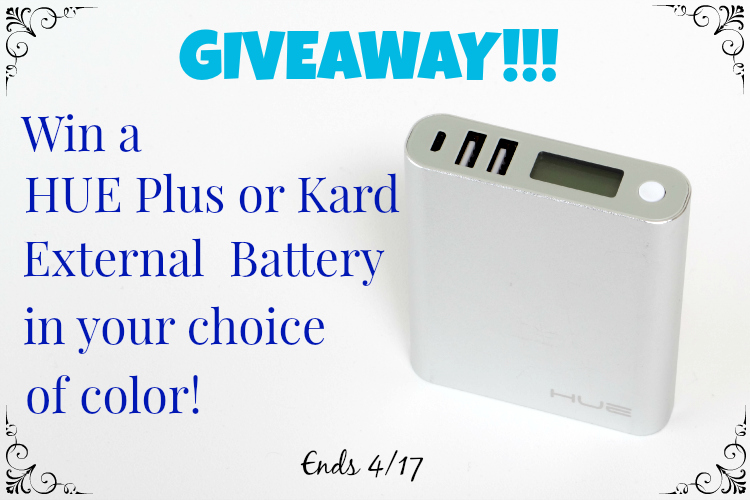
WIN: One lucky reader will win their choice of either the HUE Kard or the HUE Plus in your choice of color.

Eligibility: US Only

Ends: April 17, 2026 at 11:59pm EST

How to enter: Use the Rafflecopter form below.

I will contact the winner by email the day after the giveaway ends. The winner will have 48 hours to respond with their information.

Good luck!

a Rafflecopter giveaway


I received this item in exchange for a review and giveaway. All thoughts are my own and honest. Thanks for reading!
 

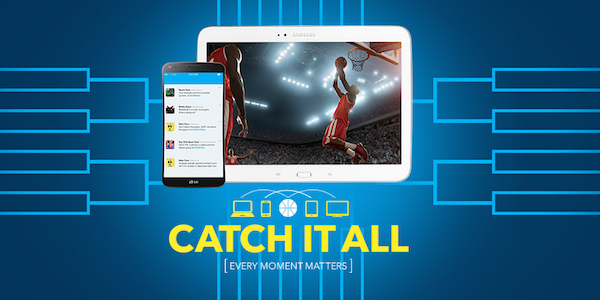
Catch it All Now at Best Buy

Do you watch March Madness? Do you spend hours researching teams and players to fill out the perfect bracket to win against coworkers or friends? Or are you like me and wait to see President Obama’s picks to fill out your bracket because that seems like a fun way to do it when you enjoy playing and watching but don’t know enough to make a winning bracket to have bragging rights? And if I lose, I can just blame it on the President! Haha.

Well, Best Buy has the answer to help you stay connected, no matter what devices you choose to use. So whether it’s for March Madness, pleasing a toddler, overall entertainment, staying connected with friends & family, etc. they have the devices to help you catch all the action.

CatchItAll_Twitter_Image_Post

While I don’t really watch March Madness other than to see how our local college team did and to see how my bracket is doing, I do understand the importance of staying connected on multiple levels at any given time. As a blogger, full-time-outside-of-the-home employee, mom and frequent traveler, I need to stay connected on many levels. It’s a lot to juggle, but with technology making it easier every day, it also becomes fun!

Brett tells me I never answer my phone even though I always have it with me (I just can’t hear that ringer!), so my preferred way to stay connected is with my tablet. I got an iPad Mini for Christmas and I absolutely love it. I can chat with Brett, stay updated on social media, update my blog, get news, and so much more. It lets me do more than my phone without being bulky…it fits right in my purse! But if I’m being really honest, I split it with Trent. He has several game apps and movie/show apps, but the best part is that those shows and movies can be transferred to the tv for him to watch if I need to use the tablet for something else. Have you ever tried to take a tablet away from a toddler while he was playing with it? It’s not a lovely scenario.

Staying connected AND a happy toddler? Jackpot, baby.

Best Buy helps keep you connected to the excitement with the devices and connectivity that make it possible: http://www.bestbuy.com/site/global-promotions/multi-screen-entertainment/pcmcat325900050014.c?id=pcmcat325900050014&type=category&autoplay=true&id=pcmcat325900050014 Brought to life by the brand promise of the latest devices and services, all in one place.


The reviewer has been compensated in the form of a Best Buy Gift Card for this review.

Netflix Stream Team & ROKU 3 #NetflixKids

Brett and I used to watch movies all.the.time. We only actually went to the movie theater every few months, but we watched movies at home at least every other night. Once Trent was born, and free time became a thing of the past, we slowed down drastically. We had no idea what new releases were out or what was a must-see. We halted all movie subscriptions and instead enjoyed our time with our new addition.

Fast forward a year and free time has slowly been reintroduced…but in a different way. We now enjoy shows and movies as a family. Trent is a nighttime party animal, so we’ll sometimes watch a family movie together, or Brett and I will watch shows/movies that we want to watch while Trent plays with his toys, or we play and watch together…it’s always something different. This is exactly why we love the idea of streaming movies…we just never know what a day/night will bring us, so if we decide we want to watch something, we can just look to see what’s available right then and there!

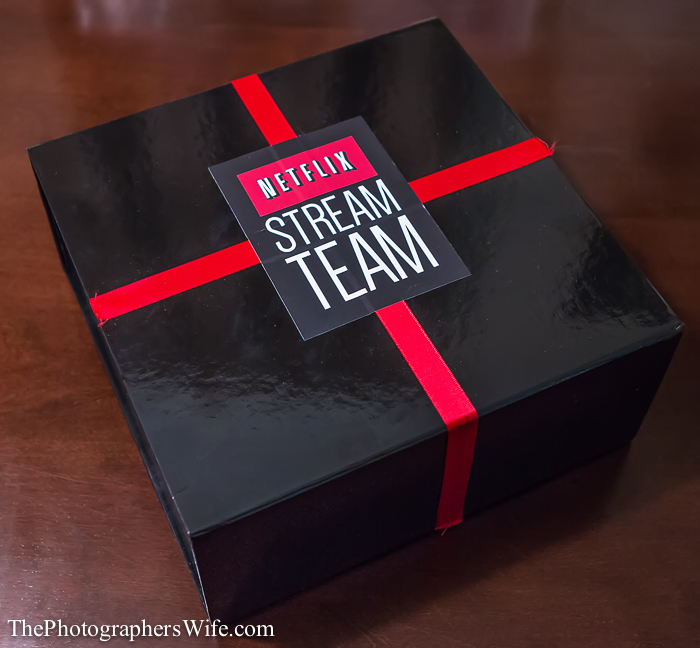
So imagine my excitement when I was contacted by Netflix to join their Stream Team! We’ve had Netflix in the past (both the DVD/Blu-ray rentals and streaming) and loved it. When I received my Stream Team package in the mail…well, let me tell you…I was blown away.

Netflix_ROKU 5

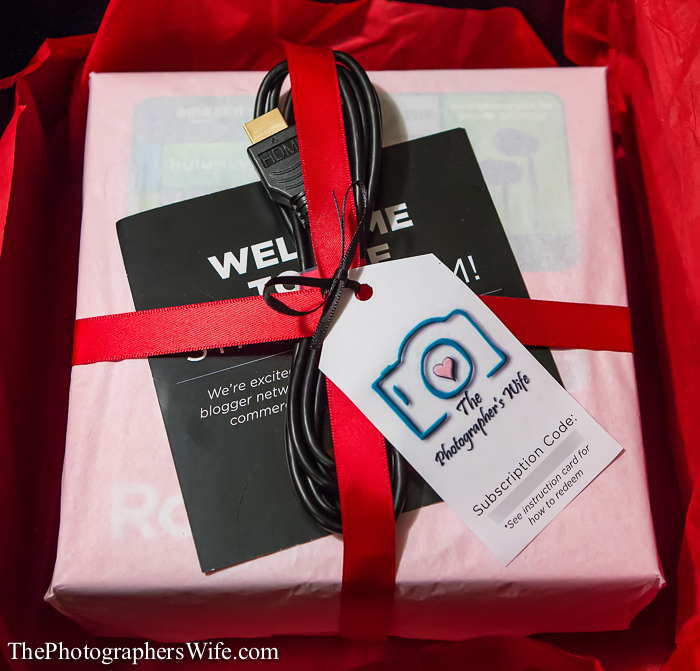
The package it arrived in looked so fancy and exclusive…black and red and tied up in a nice ribbon. And when I opened it, I noticed they wrapped it up all nice and even included my logo on a tag tied to it. They sure know how to create excitement. Although, it surely doesn’t take much from me…but even Brett thought it was awesome.

Netflix_ROKU 4

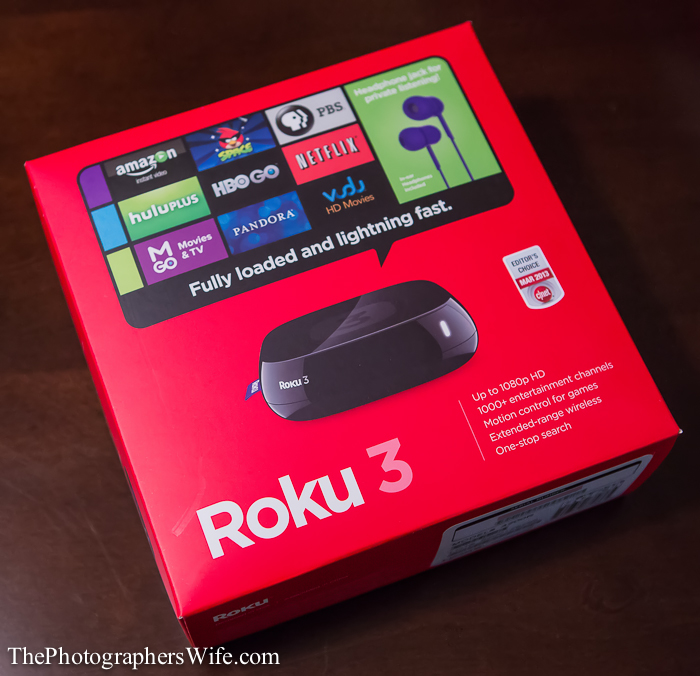
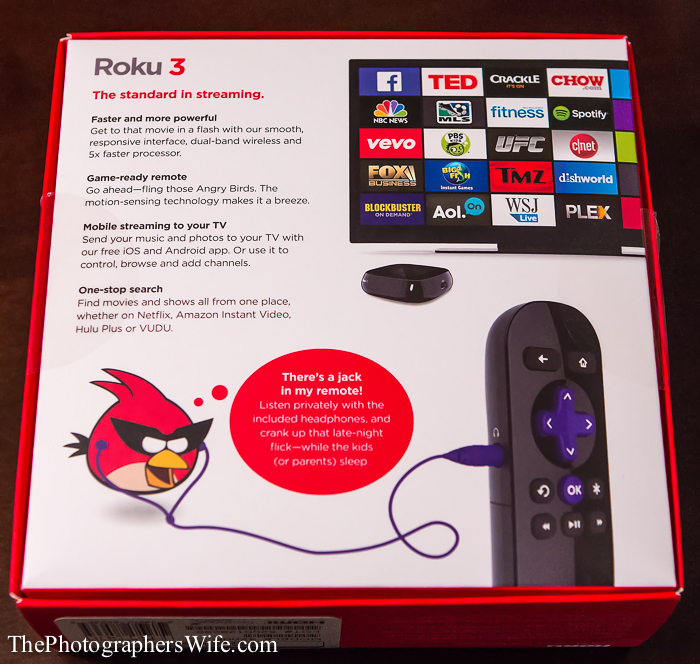
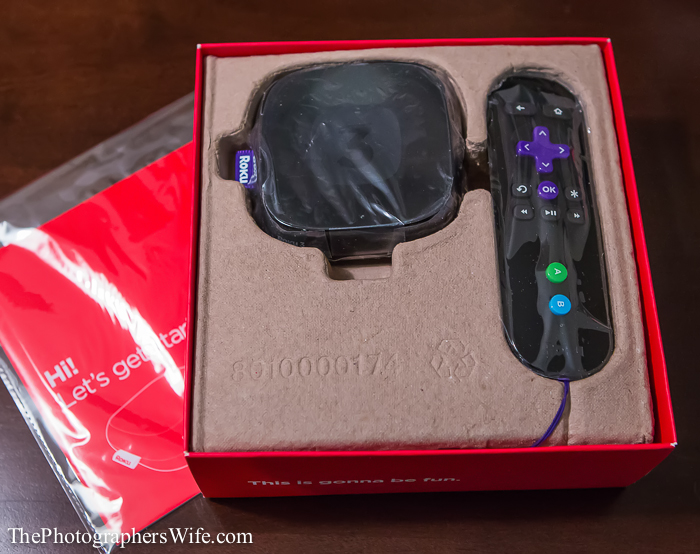
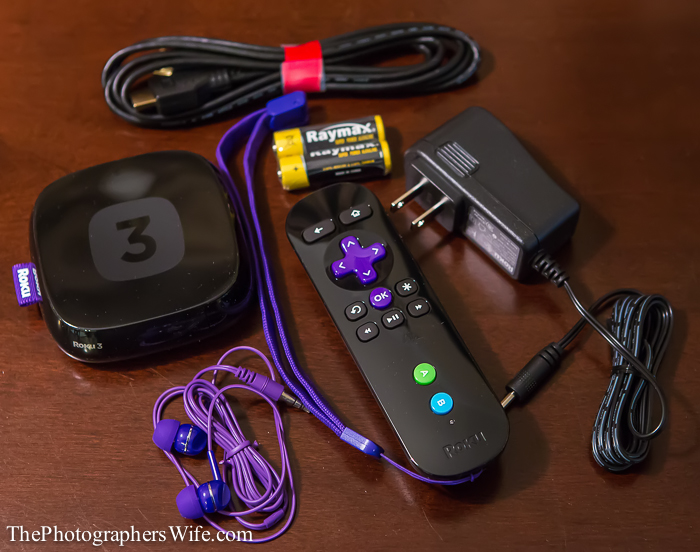
Inside was a ROKU 3 - an internet streaming device.

Netflix_ROKU 3

I had heard of a ROKU before, but didn’t know too much about it before now. Before when we would stream, we would stream through the Wii. The convenience was phenomenal seeing as we didn’t have a smart tv. Since Brett set the ROKU 3 up, I am in love and have seriously considered cancelling our satellite cable subscription.

Netflix_ROKU 2

It comes with a remote that can turn into a gaming controller (hence the wrist-strap) and a pair of headphones that plug right into the remote so you can sit anywhere in the room while watching tv/playing games without disturbing anyone. Amazeballs, I tell ya.

Netflix_ROKU 1 Netflix_ROKU

You can stream Netflix through it, as well as various other channels, programs, movies, games, etc. This came at such a perfect time because Trent is an expert at picking out shows he wants to watch. We like that he chooses shows/movies, as opposed to just mindlessly watching whatever rerun is on tv. I’m looking forward to having more options and even starting themed movie nights now that Trent can get in on the action.

So be on the lookout for future posts about how we use Netflix & ROKU to create family movie nights!

To learn more about Netflix, visit their site here!


Enhance your Photos using Fotor

One of my goals this year was to take more of my own photos and to edit them and add my own effects without asking Brett for help. Although that goal was first dependent on getting my own camera (meaning I haven’t been doing well on the first part), I have done much better on the second part thanks to some great online resources that make it easy for non-Photoshop-experts to improve their photos and get creative.

Fotor is an amazingly fun website that allows you to edit your photos and enhance them with text, clip art and endless amounts of effects…for free!

Photo_Editor___Fotor_-_Free_Online_Photo_Editing___Creatives-2

They have so many photo effects and tools to play with. You can edit a single photo, make a collage of photos and even make your own photo cards (for an additional fee). You can even make your own Facebook covers with the appropriate size requirements. And anyone can do it, trust me.

Photo_Editor___Fotor_-_Free_Online_Photo_Editing___Creatives-3

Let me show you how easy and fun it is.

I chose to edit this photo of Trent from our day trip to Destin. I took it with my phone and it was just about to get dark. Although I love it just the way it is, let’s see if we can improve it and make it a little more fun.

Trent in Destin

First, I selected “Edit a Photo” from the main page, where it automatically popped up a screen to select a photo from my computer. From there, the photo appears on the right and all your options are on the left. Time for some fun!

Photo_Editor___Fotor_-_Free_Online_Photo_Editing___Creatives-4

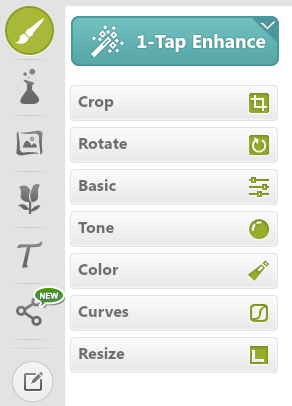
First, I cropped the photo to remove the ledge in the upper left corner. Then, because I am not good at determining color levels, tone, etc. (or is it because I am lazy?), I used the “1-Tap Enhance” button at the top. It lightened up my photo just the right amount to see more details. How cool is that?

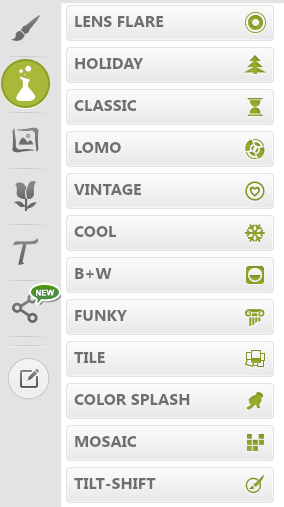
Next, you can choose different overlays and effects, including black & white and tilt-shift (one of Brett’s favorite effects). I didn’t choose any of these, but you can see all the options.

Photo_Editor___Fotor_-_Free_Online_Photo_Editing___Creatives-5

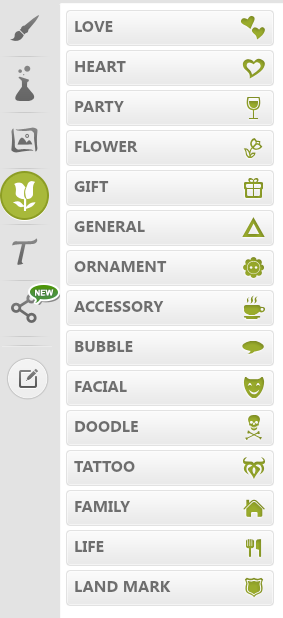
They have pages and pages of different themed clip-art. I decided on a word bubble and a little heart balloon.

Photo_Editor___Fotor_-_Free_Online_Photo_Editing___Creatives-7

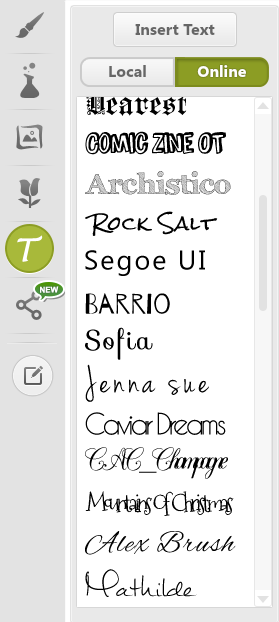
Next, I added some words to the word bubble and bottom of the photo. They have a ton of different fonts to choose from.

Photo_Editor___Fotor_-_Free_Online_Photo_Editing___Creatives-8

I also added a shadow frame the same color as the word bubble. Lastly, there are several options to either save, share or print the photo.

Photo_Editor___Fotor_-_Free_Online_Photo_Editing___Creatives-9

Ta-da!

Of course, you can do so much more with your photos, but I just wanted to give you a preview of some of the options available. With all of those options (AND it’s FREE!), Fotor is a great tool for anyone to enhance their photos. Bloggers would especially find it useful for creating Pinterest-worthy photos of their creations and posts.


This post was in collaboration with Fotor.com. Thanks for reading!