Getting Kids to Eat Their Veggies: Yummy Cheesy Corn Casserole

It’s no secret that Trent is picky. In fact, most toddlers are picky to a degree and I would consider anyone lucky that had a child that was up for eating anything…especially their veggies. Luckily, Trent loves fruit and will eat bananas, grapes, strawberries and blueberries all day, every day, so at least he gets some healthy foods that way. Veggies, on the other hand, are a different story. So how do we get Trent to eat his veggies?

Birds Eye 13

One tactic we use is to take a veggie he will eat and offer it different ways to keep it interesting.

He likes corn, so one of our go-to recipes that we all really enjoy is Cheesy Corn Casserole. This recipe also employs another tactic…add cheese to the veggies! This dish is on the sweet side, so that’s another plus on our side.

Here’s how to make Cheesy Corn Casserole.

Ingredients:
1 can (or 11 ounces) whole kernel corn, drained
1 can cream-style corn
1 (8 ounce) container sour cream
1 egg
1 (8.5 ounce) package dry corn bread mix
1 cup shredded Cheddar cheese


For the whole kernel corn, we used a package of Birds Eye Steamfresh Super Sweet Corn. We like eating this corn alone because it’s so sweet and delicious, so we figured it would be great in this recipe too!

Birds Eye 1

1. Preheat oven to 350 degrees F (175 degrees C). Grease a 9×13 inch baking dish.

2. In a large bowl combine whole corn, cream-style corn, sour cream, egg, dry corn bread mix, and 3/4 cup of Cheddar cheese.


Birds Eye 2 Birds Eye 4

3. Mix well and pour into prepared dish.

Birds Eye 5

4. Bake in preheated oven for 25 minutes.

5. Remove from oven and sprinkle with remaining cheese. Bake for another 20 minutes.

Birds Eye 8

Look at that yummy golden cheese!

Birds Eye 9

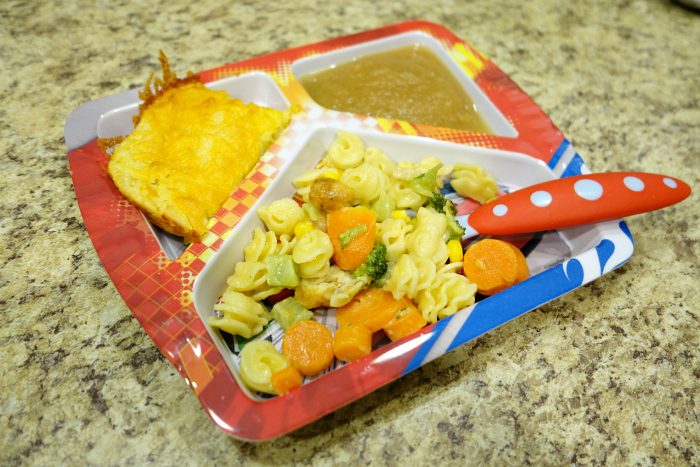
As the main dish, we used a Birds Eye Voila! bag, which is full of veggies too!

Birds Eye 6 Birds Eye 7

We like using fun dinnerware for Trent’s dinner…kids may find it fun to eat their veggies in order to see the characters underneath!
Birds Eye 11


Here are some of our tips to get kids to eat their veggies:

-Try offering veggies in different recipes. Just because they don’t eat it one way, doesn’t mean they won’t eat it another way.

-Continue offering veggies they do like.

-Add cheese or other toppings/flavorings to keep it interesting.

-Use fun plates/forks.

-You can always sneak veggies into other recipes using purees!

-One tip we like from Melissa d’Arabian in the video below is to pair new vegetables with familiar favorites and to introduce new foods slowly.

This year, Birds Eye has partnered with Melissa d’Arabian, celebrity chef, mom of four, and host of FoodNetwork.com’s web series The Picky Eaters Project, to make a difference and help moms with the dinnertime dilemma. Everyone knows it can be tough to get a balanced meal on the table every day and Birds Eye is here to help. Birds Eye frozen vegetables helps mom by providing nutritious, tasty veggies that kids will love. Together, Birds Eye and Melissa are combining their expertise in getting children to eat more veggies, one bite at a time.

Step Up To The Plate is Birds Eye’s long-term commitment to reshaping kids’ veggie perceptions and getting children to like veggies for life. Today, 9 out of 10 people in the United States do not get the proper amount of vegetables, according to The State Of The Plate report. Birds Eye continues to make eating more vegetables a reality by showing families how to fill half the plate with veggies in fun and simple ways moms and kids will both like. By providing moms with more than 40 unique vegetable blends year round at affordable prices, Birds Eye continues to be her ally in the dinnertime dilemma.

Birds Eye 12

I was selected for this opportunity as a member of Clever Girls Collective and the content and opinions expressed here are all my own.

 

Registry Tips for Expecting Parents

A recent survey, conducted by Huggies Little Snugglers, found nearly 75% of new moms anticipate changing fewer than 2,500 diapers in the baby’s first year, but the reality is the average mom will change 3,500+! Huggies has partnered with Lindsay Pinchuk, founder & CEO of Bump Club, to provide Baby Registry 101: a series of tips, covering topics from diapers and wipes to car seats, that will help guide first-time moms to registry success.

Baby shower sprinkle-1036

Here are some of Lindsay’s tips:

1. You are now CEO…of your family.

Remember: you have to do what is best for you and your family—not anyone else. This is in regards to anything and everything: feeding, diapering, bathing, where to live, what to buy, schools, day care, etc. While we appreciate our family’s suggestions, don’t feel any pressure and do what’s best for you!

2. Shower yourself with…everything!

Whether you are going to have a shower or not, create a registry. You only have your first baby once and people will want to buy you and your baby presents! You would rather get items you want vs. ones you don’t, so making a registry is key. Bring a friend with you who just had a baby, or have her look over your registry. Baby gear changes every few months, and it’s great to know what is new and necessary.

3. Don’t overthink the obvious.

Make sure to include diapers on your registry. So many people leave them off, but they are the #1 item you will be using when you bring the baby home! I love new Huggies Little Snugglers. The GentleAbsorb* Liner has hundreds of tiny absorbent pillows to draw mess away from your newborn’s delicate skin. Huggies Natural Care Wipes are also great because of the simple formula and Triple Clean* Layers that are tough on messes, yet gentle on baby’s skin.

4. When it rains it pours, but try to curb the shower excitement.

Don’t open every box and item you receive from your baby shower before you come home from the hospital. Inevitably there are going to be items you don’t use or will want to return once the baby arrives. Only open what is absolutely needed for when baby arrives home and use things as you need them.

5. Baby brain and mommy brain are for real.

Just know that no matter what happens, the love you will feel for your baby on the other end of your labor and delivery is indescribable.


Here are some additional baby registry tips:

Registry tips for baby #2

Baby Registry tips


This post was sponsored by Huggies. Thanks for reading!


Walmart Beauty Box

I love the idea of a monthly box subscription and getting goodies delivered right to your doorstep, especially since I just don’t get the shopping time I used to get before I had kids. I like trying new things, but just don’t have the time to leisurely stroll through the store aisles looking for things to buy. However, I’m hesitant to try most box subscriptions because I don’t want to spend money and not like what I get. Sure, I know it’s a risk to take and I could end up loving everything in each and every box, but some boxes are really expensive and I’m just not ready for that.

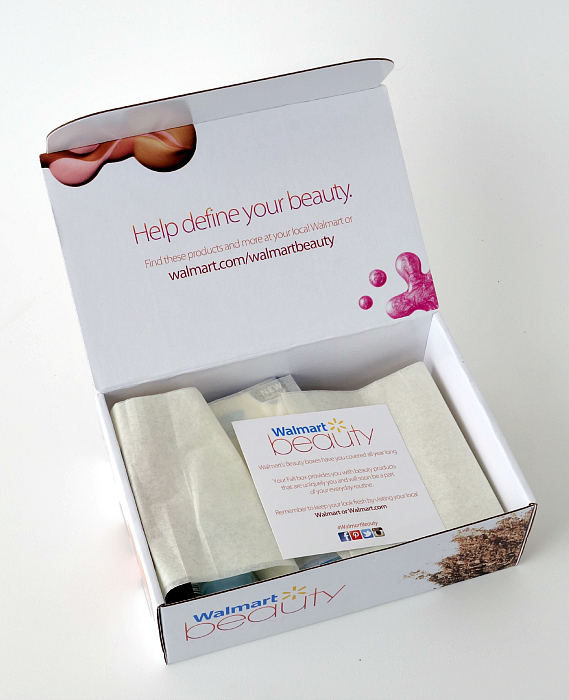
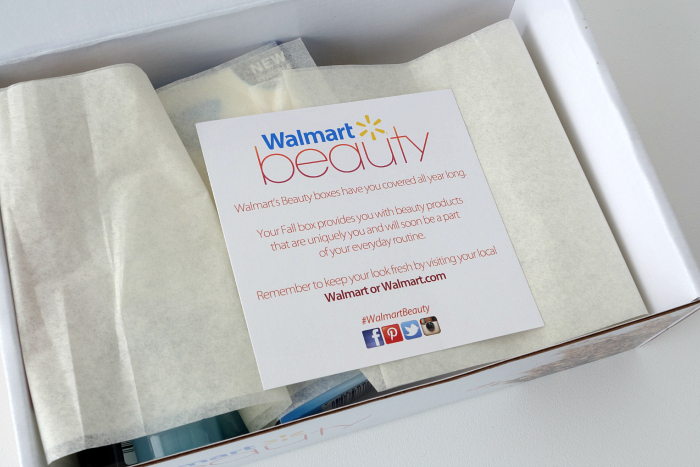
So when I saw that Walmart was starting a new quarterly box subscription for just $5, I was intrigued. It’s the Walmart Beauty Box and every 3 months, Walmart will send a box with several beauty items in it for just $5, which they say is just to cover shipping and handling. $20 a year? I can handle that!

I ordered in time to receive the Fall Beauty Box and it arrived at my house very quickly, within just a few days.

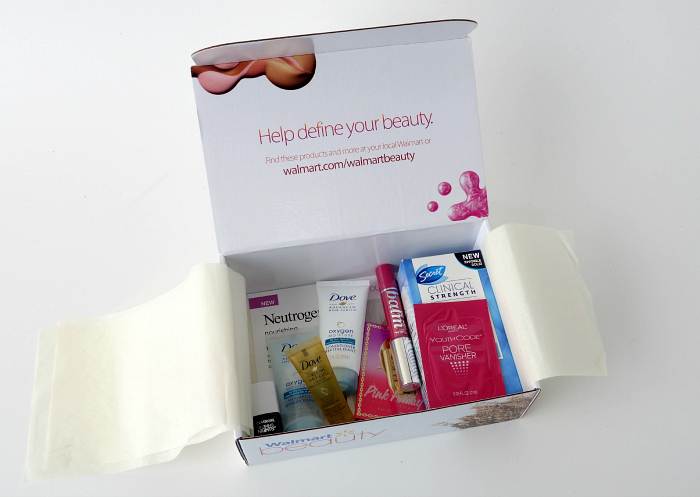
Walmart Beauty Box 2 Walmart Beauty Box 3

Beauty goodies are my favorite!

Walmart Beauty Box 4

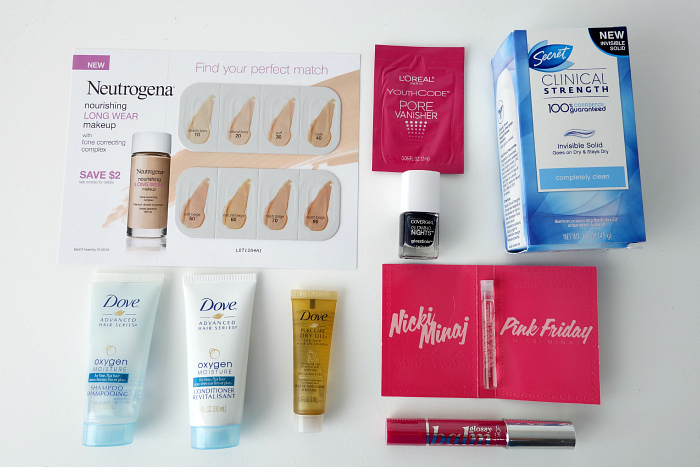
I was really surprised to find 2 full-sized items in there…the Secret Clinical Strength deodorant (which is a favorite of mine and has to be worth at least $5 alone) and the L’oreal Glossy Balm.

Here is everything in the box:

-Secret Clinical Strength

-L’oreal Glossy Balm

-Dove Oxygen Moisture Shampoo Sample

-Dove Oxygen Moisture Conditioner Sample

-Dove Pure Care Dry Oil Sample

-Nicki Minaj Pink Friday Perfume Sample

-Cover Girl Glowing Nights Nail Polish Sample

-L’oreal Youth Code Pore Vanisher Sample

Walmart Beauty Box 6

Overall, I am happy with this box. It is worth the $5 to me, not only because I will use each item, but also because it was fun getting surprised with items I would try (or already use and love!).

This is not a paid or sponsored post. I found out about the Walmart Beauty Box when I saw someone else talk about it online and I signed up on my own and paid the $5. I just wanted to share something new and fun with you! If you are interested, you can visit the Walmart Beauty Box site here. They also have a Baby Box, with specific boxes tailored to your pregnancy trimester or age of your baby (you can see that box here). Unfortunately, they don’t have any that apply to me yet, but when they do, I will probably sign up for that too!


Protect What You Love with PEQ


Although we’ve had a security system since we moved into this house almost 5 years ago, we’ve always wanted a little more. There are little things that worry us that can’t be solved with a security system. Sometimes, it’s not just about protecting yourself from a break-in, but also protecting your kids from going places they shouldn’t, or making sure they arrive home safely after school, or catching a water leak, or seeing who is knocking on the door….well, you get the idea. I especially know that my concerns will only grow as the kids get older and Brett and I are both at work.

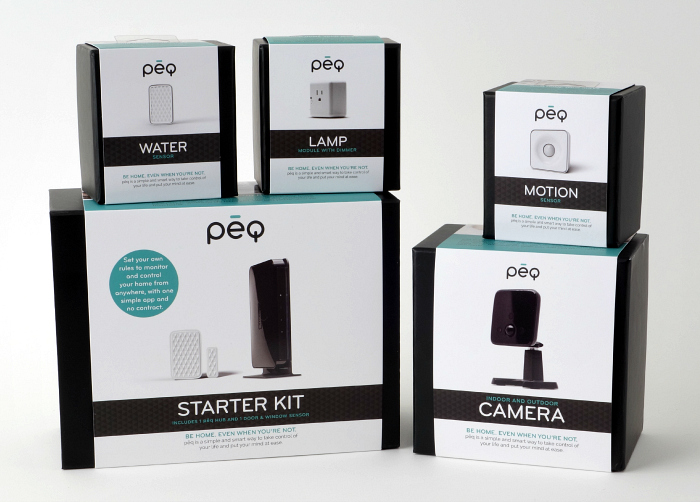
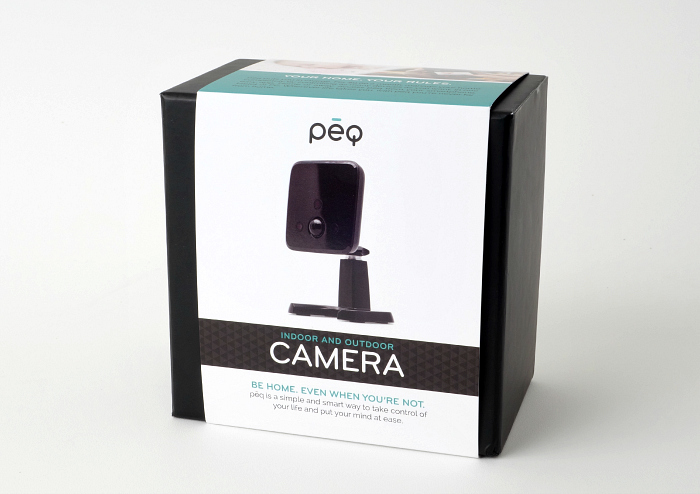
Recently, we installed several PEQ (pronounced peek) devices and started using their smart home service to help us peek in and rest easy on all those little things that worry us.

PEQ 1 PEQ 2

About PEQ:

PEQ empowers you to live life on your own terms and the freedom to Live Life. With PEQ, you can…

  • Work without distraction
  • Travel without worry
  • Fix what you forgot
  • Protect what you love

PEQ offers consumers a simple and flexible way to view, control and receive alerts from their home anywhere… at work, while on vacation, or traveling. Through a single app on your laptop, smartphone or tablet, you can view and control your home from anywhere.


How does PEQ work?

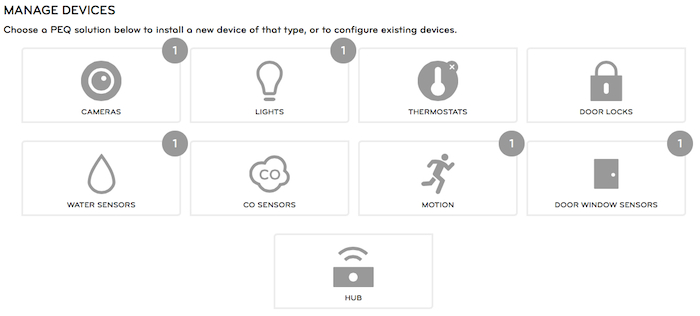
First, select the devices that are right for you and your needs (i.e. door sensors, thermostat, etc.)

PEQ 3


Second, sign up for PEQ’s monthly service for $9.99 a month

What do you get for $9.99 a month?

  • Ability to connect an unlimited number of devices to the PEQ service
  • Access to the best user interface in the smart home industry
  • Live, professional customer care and tech support seven days per week
  • A device ecosystem that has been certified and guaranteed to work with the PEQ service
  • Extensive storage of video and pictures
  • Live, streaming video to your laptop, smartphone or tablet
  • Regular updates to the user interface and apps to add new features and functionality, essentially future proofing your investment

Manage_Devices


Third, install them easily on your own, or with help from PEQ

Installation was fairly simple, but did take some time. The website gives you tutorials and videos to guide you through the setup of each device. You have to decide where you want to put each device and then you use the website to activate everything and make sure everything is synced correctly. It took a few hours to connect our several devices…part of that being us trying to decide what we wanted to monitor, where to put the devices that we had and then setting up the rules, which is the final step…

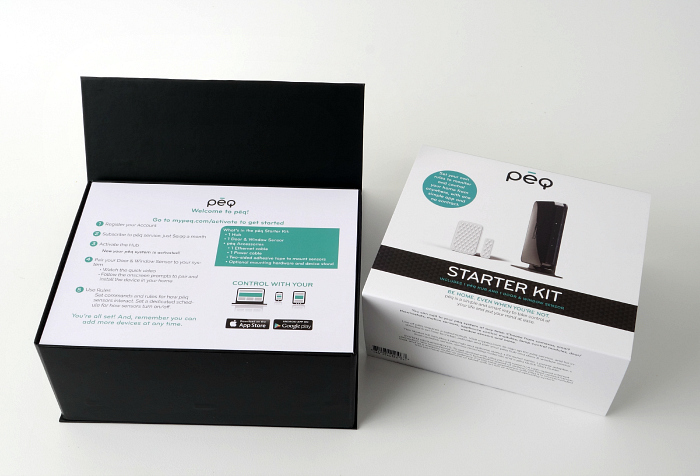
We installed several devices, each giving us peace of mind over certain aspects of our house. The Starter Kit comes with the Hub and 1 Door & Window Sensor.

PEQ 7

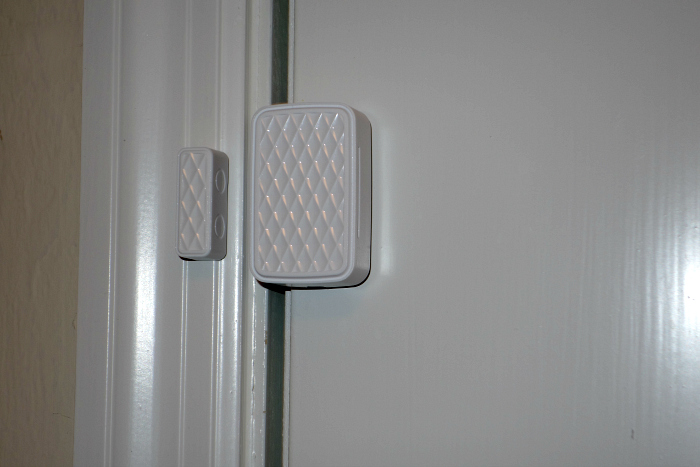
We put the Door & Window Sensor on the front door. It comes with 2 pieces, one goes on the door and one goes on the farm and if they become separated the sensor goes off.

PEQ 8


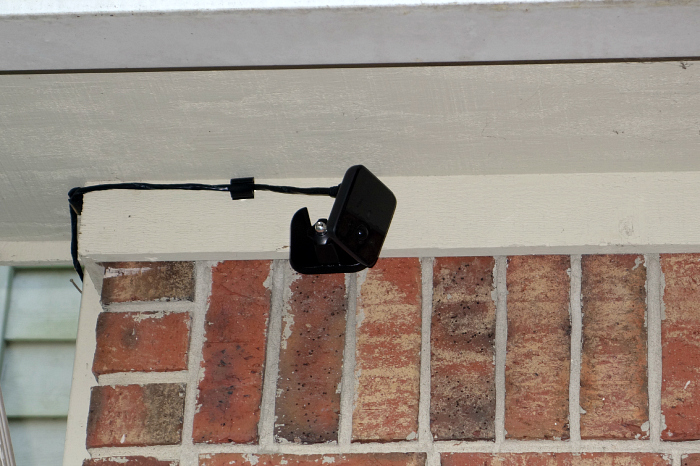
We set up the Indoor/Outdoor Camera on the outside of our house, facing the front door and our cars in the driveway.

PEQ 5

This was the functionality we anticipated the most…being able to see outside at any time of the day or night. If anything ever happened to our cars, or if someone tried breaking in, the camera will see it. The infrared technology allows it to get great video at night too.

PEQ 13

Also, this is a great idea if you want to be able to see who is knocking at the door before you get there. If I’m nursing on the couch and I hear a knock…I am able to see on my phone that it’s the UPS guy just dropping off a package and I don’t have to stop nursing to get up.

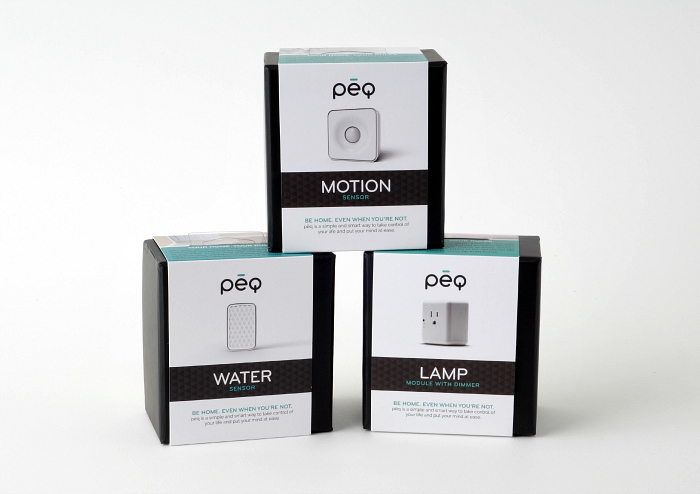
PEQ has several additional devices to fit your needs.

PEQ 6

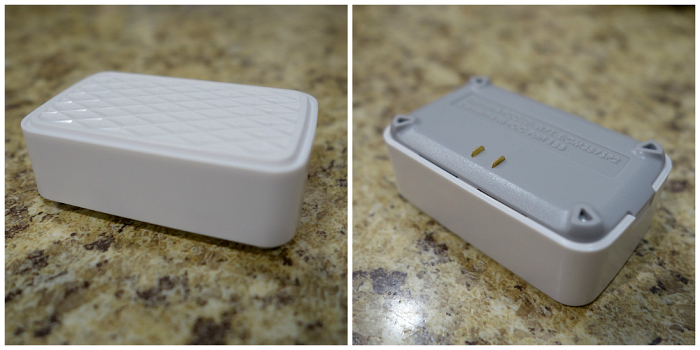
We set up the Water sensor in the laundry room. Our cat likes to hide behind the washer and dryer when people come over, and has punctured the water line before, so if those two sensors on the bottom in the photo below become damp, we will be notified. A water leak while we’re out of town would NOT be good.

PEQ 9

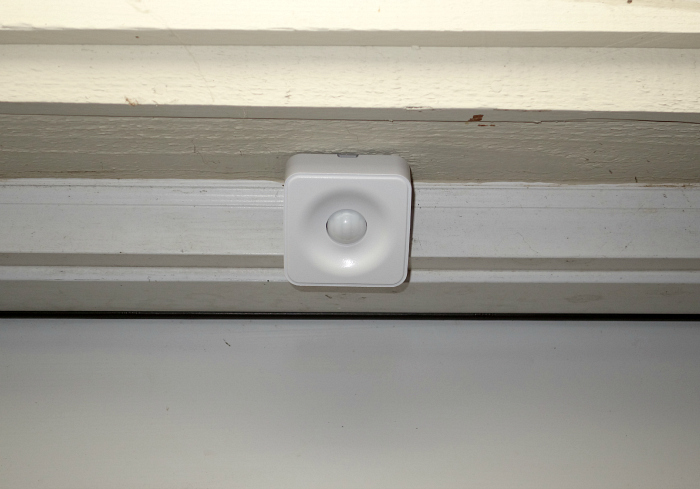
We set up the Motion Sensor to detect any movement in the front of our house, specifically the front porch. You may ask why we put a Door sensor and a Motion Sensor in the same spot. The door sensor is for detecting the opening of the door only…the motion sensor will detect movement, regardless of whether the door is open. We also did this because of the rules we wanted to set up, which I’ll talk about next.

PEQ 10

We also installed a Lamp Module with Dimmer. You can turn the light on and off from your phone and you can set up rules for it to turn on and a certain time of day.
Finally, set up the rules (alerts) that best support your needs

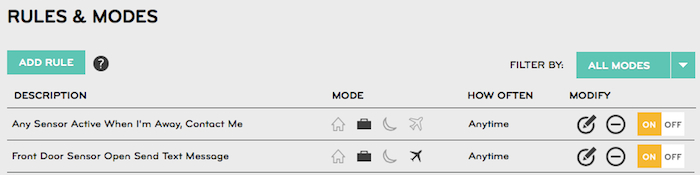
The really neat thing about the PEQ service is that you can set up “rules” that will alert you or turn on certain devices when certain things happen. For instance, we have it set to where if we are asleep or away, and the front porch detects movement, the camera will record and email both of us a video clip. So far, it’s only been videos of cats, but that lets me know it works and that if anything were to happen, it would be on camera!

Rules

Another idea is that parents could set up a rule for them to be notified when the front door is open around the time the kids will be getting home from school, just to make sure they arrived home safely. There’s lots of variations and rules that can be set up with each device, and they can even work together for combo rules.

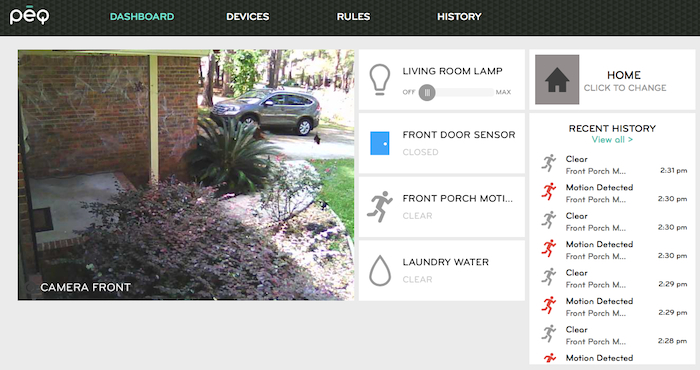
You can also view the entire system online at any time, including the history of each device. (Those are Halloween decorations on our porch ;) )

HOME

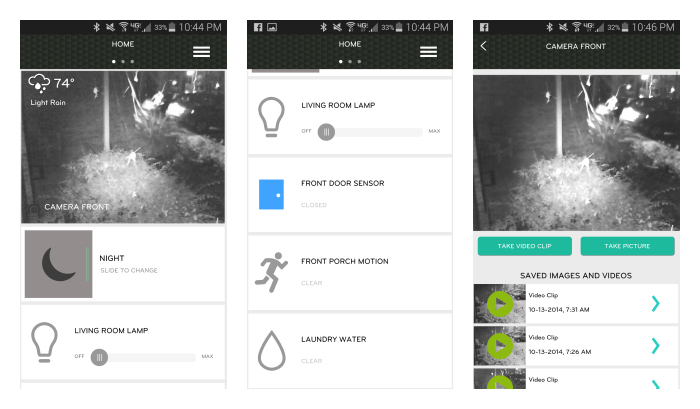
I love being able to view and control any part of the system from my smartphone or tablet.

PEQ 12

PEQ Benefits:

  • The “phew” factor. PEQ relieves you from constant worries about the safety and stability of things you own at home, and the people you love while you’re away
  • The “personalized” factor. PEQ empowers you to control your home on your terms from anywhere. Add as many rules as you want. Add as many devices as you want
  • The “DIY” factor. No technical knowledge required


PEQ is available for purchase online at mypeq.com and various Best Buy locations across the US, with more distribution partners being announced this fall.


I was selected for this opportunity as a member of Clever Girls Collective and the content and opinions expressed here are all my own.
Disney Themed Lunch with Mickey Sandwiches

For an article in a recent issue of WDW Magazine, we made a fun Disney themed lunch that kids can enjoy at school or at home! It was super simple!

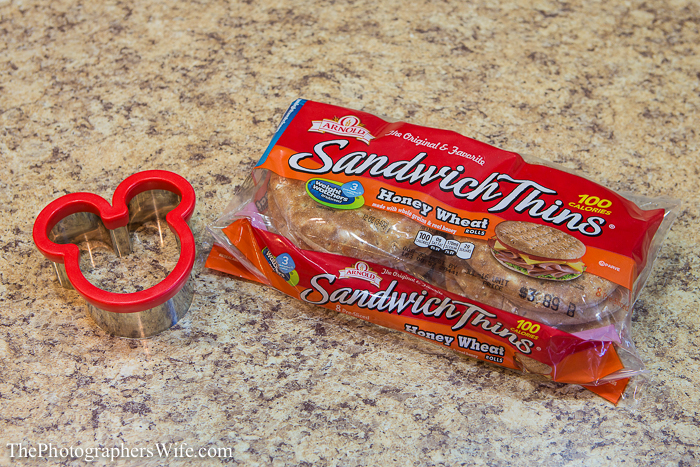
To make a Mickey-shaped sandwich, you’ll need a Mickey-shaped cookie cutter. You can use any bread, but we find that the Sandwich Thins work best for showing the Mickey shape with a small amount of leftover bread

5Q2C8417

Take 2 slices of bread and push the cookie cutter into it.

Use the cookie cutter to cut the same shape into the cheese and lunch meat.

5Q2C8419

Stack ‘em up and add any condiments to complete your Mickey sandwich!

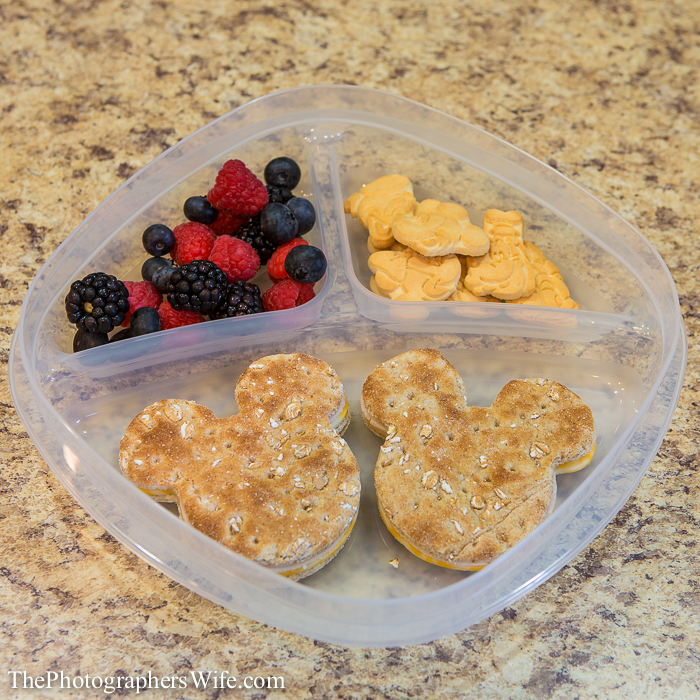
For sides, we added red and black fruit and Disney character cookies and placed everything in a sectioned plastic container.

5Q2C8425

Enjoy!

5Q2C8438 5Q2C8430


Check out some of our other Disney food-related post!

-50′s Prime Time Cafe Peanut Butter & Jelly Milkshake

-Raglan Road Ger’s Bread and Butter Pudding

-Mickey-Shaped Chocolate-Dipped Sugar Cookies